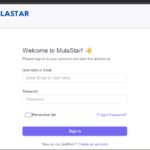
How to Join MulaStar – Complete Beginner’s Guide
🔗 Step 1: Access the Registration Page
Click the official MulaStar registration link below to begin:
👉 Register on MulaStar
Ensure your internet connection is stable to avoid errors during registration.
📝 Step 2: Fill in Your Details
Provide accurate information in the registration form:
- Username 👤
Choose a unique username without spaces or special characters.
Example:samkiliswa - Country 🌍
Select your country from the dropdown menu. - Phone Number 📱
Enter your phone number without the country code or leading zero.
Example:794800571 - Email Address 📧
Use a valid and active email for verification and account recovery. - Password 🔐
Create a strong password and confirm it.
✅ Step 3: Create Your Account
- Review all details for accuracy.
- Click Create Account.
- Wait a few moments while your account is activated.
🎉 Step 4: Start Using Your Account
- Your MulaStar account is now ready.
- Log in to explore tasks, videos, games, and other earning opportunities.
⚠️ Important Tips
✔ Always use real information when registering.
✔ Keep your login credentials safe and secure.
✔ Do not create multiple accounts to avoid suspension.
✔ Always use the official MulaStar website for registration.
Download app | MulaStar
Once your account is ready, you can earn by:
- Completing daily tasks
- Playing games and collecting spins
- Watching videos, answering quizzes, and more